If Buildertrend, CoConstruct or JobTread felt like too much, it was. Here is what you don’t have to do first.
What you have to do
BuilderLine
Buildertrend
JobTread
Time to your first job
About a minute
Weeks, with onboarding
“1 week to a month”
Set-up program before you're running
None
Onboarding package
Onboarding call + plan
Cost catalog to build first
No — start with three numbers
Yes
Yes, plus templates
Sales call before you see it
No — price is on this page
Demo required
No — sign up on their site
Your subs need a login
No — a text from your number
Yes, a sub portal
Usually no (email link)
Time to your first job
BuilderLine
About a minute
Buildertrend
Weeks, with onboarding
JobTread
“1 week to a month”
Set-up program before you're running
BuilderLine
None
Buildertrend
Onboarding package
JobTread
Onboarding call + plan
Cost catalog to build first
BuilderLine
No — start with three numbers
Buildertrend
Yes
JobTread
Yes, plus templates
Sales call before you see it
BuilderLine
No — price is on this page
Buildertrend
Demo required
JobTread
No — sign up on their site
Your subs need a login
BuilderLine
No — a text from your number
Buildertrend
Yes, a sub portal
JobTread
Usually no (email link)
Buildertrend and JobTread facts are from their own websites and help pages, checked September 2, 2026: JobTread’s implementation page (“1 week to a month”, onboarding call, cost catalog and templates) and pricing page; Buildertrend’s demo page and subcontractor FAQ. CoConstruct is now part of Buildertrend. Both are good software for the companies they were built for; this one is built for a builder running his own jobs.
100+
homes built in Texas
14 days
free, then from $199 a month
A minute
to set your company up
Thirty seconds, one real job
A three-page repair list, sent to every sub, one tap each.
The client sent the inspection addendum. The builder dropped it into the job. BuilderLine turned it into a warranty list with the right sub on every line and wrote each man a text with only his items on it. He sent them from his own phone.
Nothing was typed twice
Every text waited on a yes
When they answer, they answer him
What it does
Three things, done the way a local builder actually works.
Estimating
Your prices go in once. Then a house prices itself.
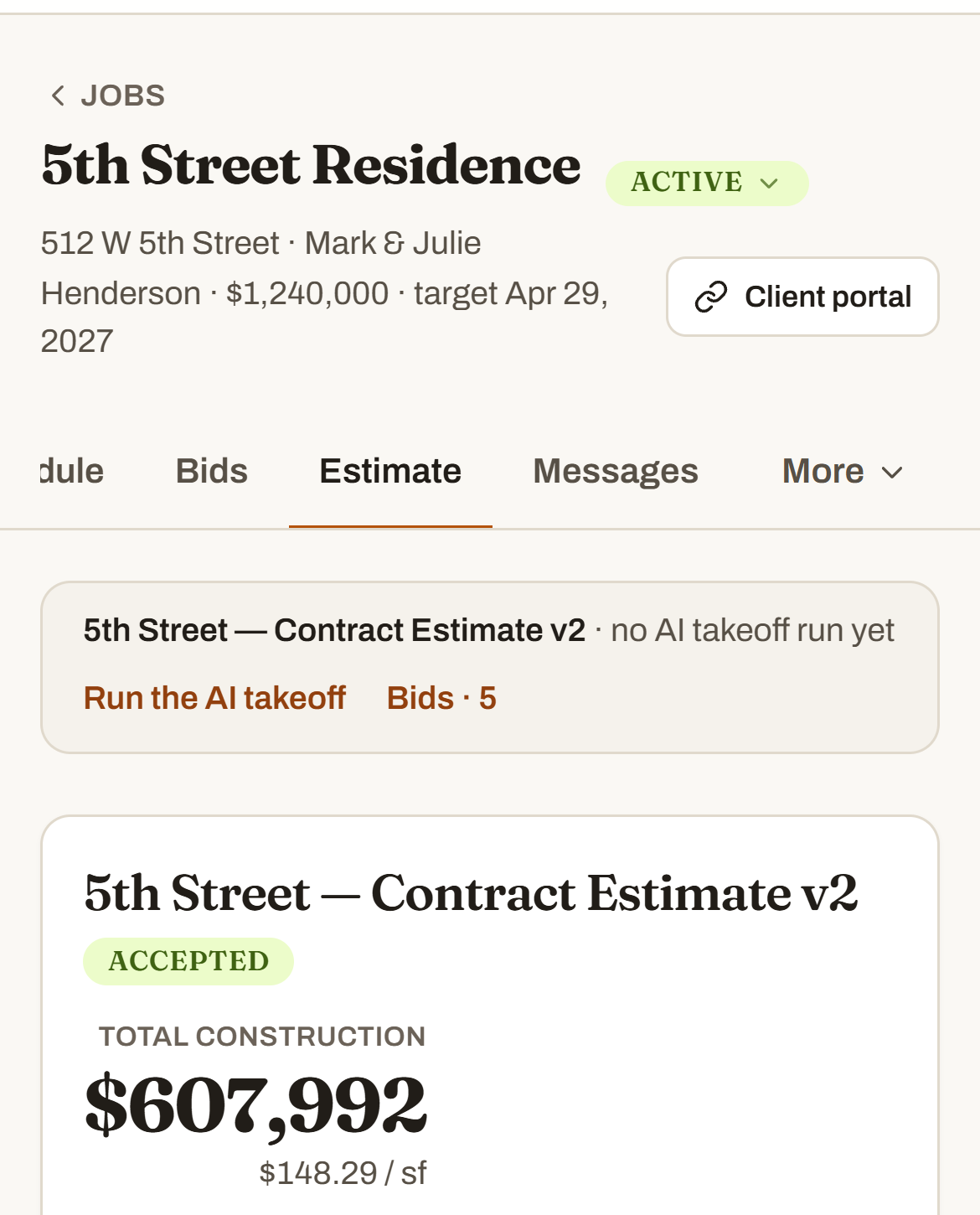
Start a job, type three numbers — living, total, slab — and every line that runs on square footage fills in at your costs. Countertops, tile, carpet? The takeoff reads the plans for those quantities and multiplies by your price — for you to check.
Scheduling
The schedule already has your subs on it.
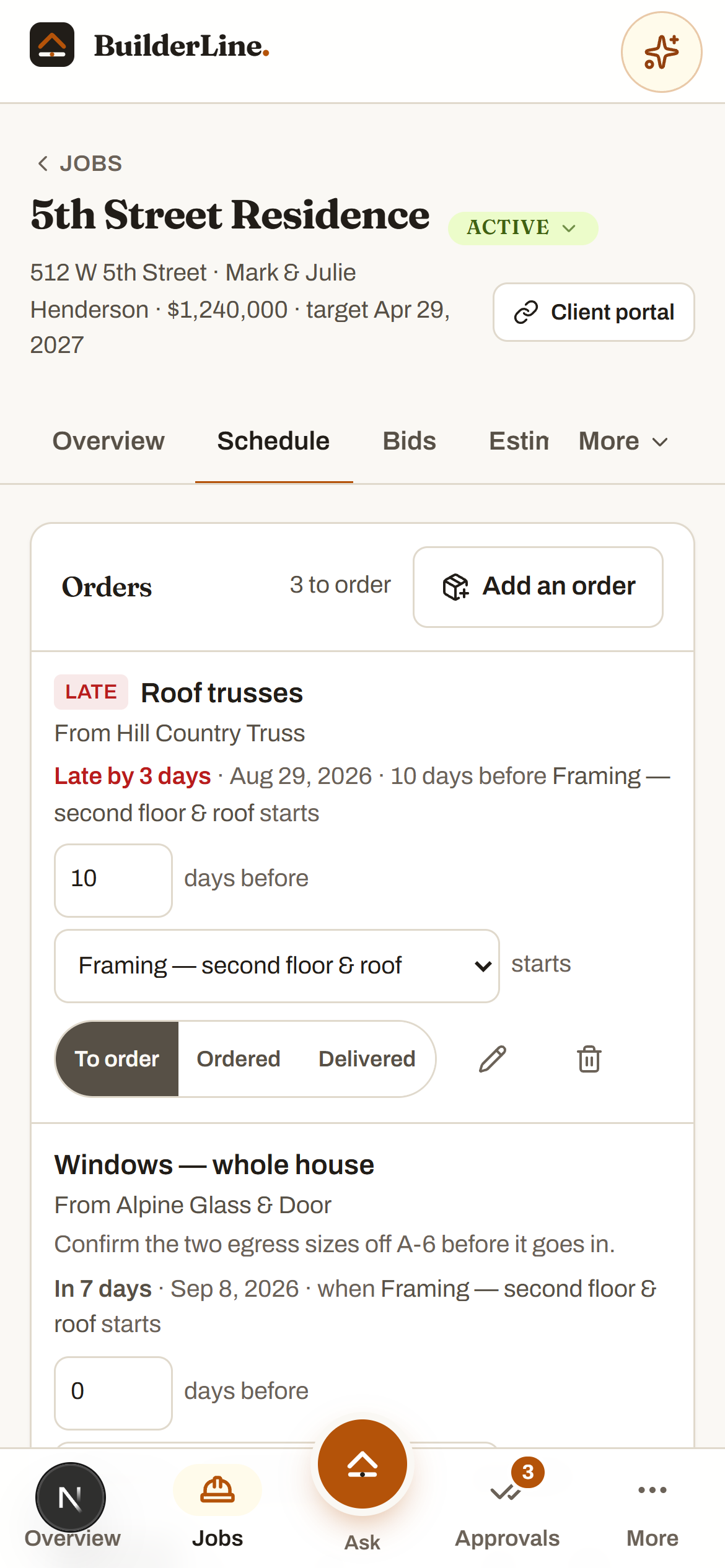
Save one job as your template and every house after starts with your framer, your plumber, your electrician on the right lines. Push a task and the orders tied to it move with it.
Texts and email
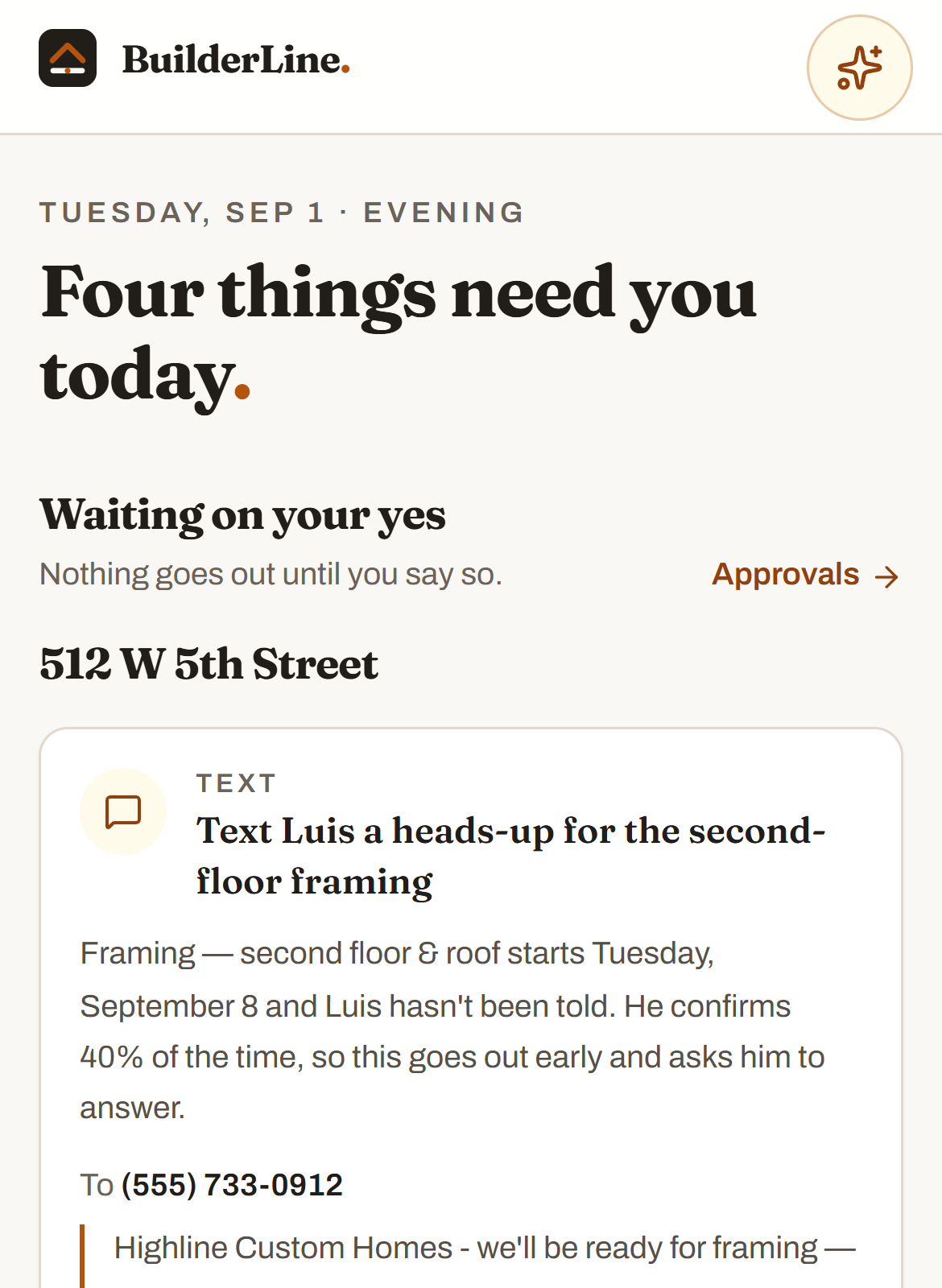
It writes the text. You press send. It comes from your number.
Heads-ups to subs, confirmations, the homeowner update — written for you and waiting. You press send on your own phone, so when they answer, they answer you.
Nothing to change
You don’t give anything up.
The other platforms want your whole company moved in before they work. This one starts with what you already have.
Keep your spreadsheet
Put in your costs once or don't — start a job with three numbers and price the rest as you go. Nothing to import before you can begin.
Keep QuickBooks
BuilderLine runs the job; your books stay where they are. Nothing here touches them.
Keep texting your subs
It writes the text. You press send, from your own number. Your subs never install anything or make an account.
Job check-in
Walk the job. Take pictures. It does the office work.
Upload the photos to the job. BuilderLine reads them the way a superintendent would: it updates the schedule to match what is actually built, suggests what to add to your list, and asks who needs to be booked next. Then it stops. Every card below waited for a yes.
Nothing left the building
It says why, every time
Approve, edit the words, or skip
Example · from 8 photos on one job · 3 waiting
Update the schedule
Mark framing done — cornice can start Thursday
The photos show framing finished and the roof decked. That wraps two days early, so cornice moves up to Thursday and the three tasks behind it move with it.
Approve Edit Skip
A question for you
Is Danny booked for plumbing?
Rough-in plumbing is nine days out and there's no confirmation from Danny anywhere on the job. Tap Booked and the schedule holds — tap Not booked and the text asking him is already written.
Approve Edit Skip
Text a sub
Text Ramon — cornice is ready Thursday
Framing wrapped early and Ramon hasn't been told his start moved up. Written for you; you send it from your phone.
Approve Edit Skip
Subs & vendors
Your subs hear from you. Not from a robot.
Nobody you work with signs up for anything. No app to download, no account, no password to reset, no invite they'll never accept. A phone number or an email address is the whole setup — and that's on purpose, because the sub who won't install your software is still the sub pouring your slab.
It writes the text. You send it, from your number.
Every heads-up is written for you — the date, the address, the ask. You press send, and it comes from the number your subs already have saved. No robo-number, no spam folder, no “who’s this?” And when Luis texts back, he texts you.
On now. It's the phone already in your pocket — nothing to set up.
Messages · Luis (framing)
We’ll be ready for framing at 512 W 5th Street on Monday, about a week out. Reply Y to confirm, N if you can’t make it, or the date that works.
Y — see you Monday.
BuilderLine wrote it. You pressed send. Luis answered the number he knows.
It emails them directly
Bid invites, scopes, plan sheets, the documents a vendor needs — addressed and written, and out the door on your yes. The sub never makes an account; he gets an email, he answers it, and the answer comes back into the job.
On now. Bid invites and documents go out on your approval — the sub gets a normal email and answers it like any other one.
And your company gets its own address. Forward a homeowner’s email with an order typed on top — it reads the email and its attachments, does the work, files them under the right job, and writes back to say so.
On now. Your address is your company name at in.builderlineai.com.
To
highline@in.builderlineai.com
Subject
Fwd: garage door + master bath grout
turn this into a warranty list and tell me which job it’s on
---------- Forwarded message ---------- From: Dana Henderson — the garage door won’t close all the way, and the grout in the master bath is cracking by the tub…
ReplyMade 2 warranty items on the Henderson job and filed the email and its photos there.
Nothing reaches your subs, your vendors or your homeowner until you say yes. BuilderLine writes it, shows you why, and waits — there is no setting anywhere in the product that lets it reach them on its own.
Who made it · Home builder, Texas
I build houses. I couldn’t find software I actually used.
Every couple of years I’d try another one. Pay for it, set it up, use maybe a third of it, and end up right back in a spreadsheet and a text thread. None of it was built for how a local builder actually works.
So I built one. It started as a tool for me, and every job I run is on it. If something’s missing, there’s a line straight to me inside the app, and the good ideas get built.
One price a month for the whole platform. Every plan is the whole product — the plan only sets how many people are on it. 14 days free. Add a card to start; it bills when the trial ends unless you cancel.
The AI included each month covers the questions, takeoffs and rundowns BuilderLine runs for you. If a busy month uses it up, you can add more in one tap — and everything that isn’t AI keeps working either way.
Common questions
Asked by builders, answered plainly.
What is BuilderLine?
An AI project manager for local builders — the ones building 1 to 50 houses a year. You set your normal costs and your standard schedule up once, with your subs on it, and BuilderLine runs the jobs: estimates that price themselves, heads-up texts written before a sub is due, replies to the homeowner, dates moved when a job falls behind. Take pictures of the job and it updates the schedule to match what's actually built. It drafts everything and waits. You say yes or no — and a text to a sub goes out from your own phone, when you press send.
How does the estimating work?
You set your normal costs one time — framing labor per square foot, slab cost per square foot, and the rest — and that becomes your template for every job. Start a job, put in the slab SF, living SF and total SF, and every line that runs on your numbers fills itself in. For the rest — countertops, flooring, tile — press AI generate and BuilderLine prices them for you to check. You can also drop in a plan sheet and get the square footage back instead of scaling it off the drawing.
Do I have to build a schedule for every job?
No. Set up the schedule you run on every house one time and put your preferred vendors on it — Marco on stucco, Ramon on cornice. Start a job and BuilderLine already knows which sub is on every line item, so there's nobody to look up and nothing to type in twice.
What happens when I take pictures of the job?
Walk the job on Monday, take pictures, and upload them. BuilderLine reads them the way a superintendent would and does three things: updates the schedule to match what's actually built, suggests what to add to your to-do list from what it sees, and suggests who to schedule next. It all lands in Approvals with the reason attached, waiting on your yes.
I only build a few houses a year. Is this overkill?
It's the opposite — you're who it was built for. Whether it's four houses a year or forty, it's your jobs, your costs, your subs, and an AI doing the office work you're currently doing at nine at night. Nothing to configure before it's useful, no roles to hand out unless you want them, and no screens for a company ten times your size.
How is this different from the big construction platforms?
They're built for the big volume operations, and they're sold that way — a demo call before you see a price, a quote based on your annual volume, an onboarding fee and a training day. BuilderLine is built for the local builder. The price is on this page, you're running in about a minute, there's nothing to migrate, and every screen is one you'd actually open.
Does the AI do things without my okay?
No. Every text, every reply and every schedule change is written up with the reason, and nothing goes out until you say yes — approve it, edit it, or skip it. There is no setting that lets it act on its own, and that's on purpose — it's the whole design, not a default you have to go find and switch off.
Do my subs need the app?
No — nothing to install, no account. A sub just needs a phone number or an email. BuilderLine writes the text, you press send, and it goes out from your own number — the one your subs actually answer, so the reply lands right where it always has. Bid invites go out by email on your yes, and the answers come back into the job on their own.
Who do I call when something's wrong?
Our founder. BuilderLine is family-owned and built by a builder who runs his own jobs on it, so there's a line straight to him inside the app — no ticket number, no support queue. If you've got a problem or an idea, he reads it, and the good ideas get built.
How long does it take to get started?
About a minute. Company name, email, done — then add your first job in one line. There's no onboarding call, no training day, and nothing to migrate before it's useful.
Do I have to change how my company already works?
No. Start with one job and keep everything else where it is. Most builders drop in the schedule and the plans first, then let the rest follow as it earns its place.
Does it work on a phone?
Yes — it's built for the phone in your pocket, one-handed, in the sun. Open builderlineai.com, sign in, and add it to your home screen like any app.
Is my company's data private?
Yes. Every company's account is walled off from every other one, and the AI only ever reads your own company's records to answer your questions.
What does it cost?
One monthly price for the whole platform — $199 to $499 a month depending on how many people are on it. Your first 14 days are free on any plan. A card is required to start, and the plan you pick begins billing automatically when the trial ends — cancel any time before then and you're not charged.
Stop running the job out of your truck and your inbox. Run the jobs from one line.
Set up your company, put in one job with your subs on it, and watch BuilderLine go to work. About a minute to sign up, and the first 14 days are free.